Plan Your Menu

Step 1
Your child clicks on his or her lunchbox or breakfast plate from the list.
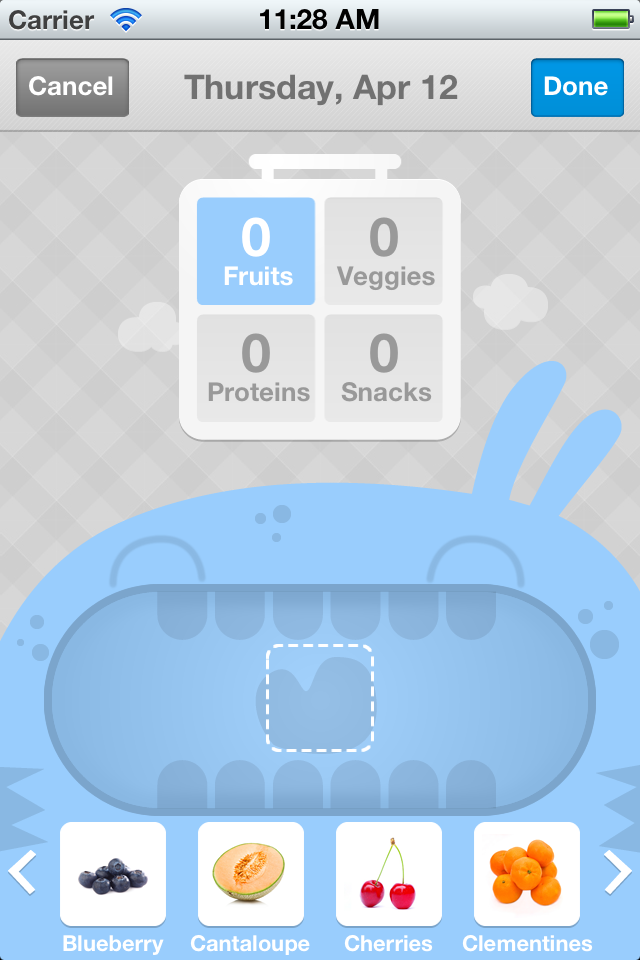
Step 2
Next select which category of food to choose from.

Step 3
Now drag item(s) into your monster's mouth to create that day's menu. Repeat step 2.

Step 4
The lunchbox or breakfast plate is complete when it has a specific number of items in it. (min and max set by parents)

Step 5
Swipe left or right to select the previous or next day of the week.

Step 6
Or select the calendar icon to begin planning your menus for a different week.